
ADVERTISEMENTS
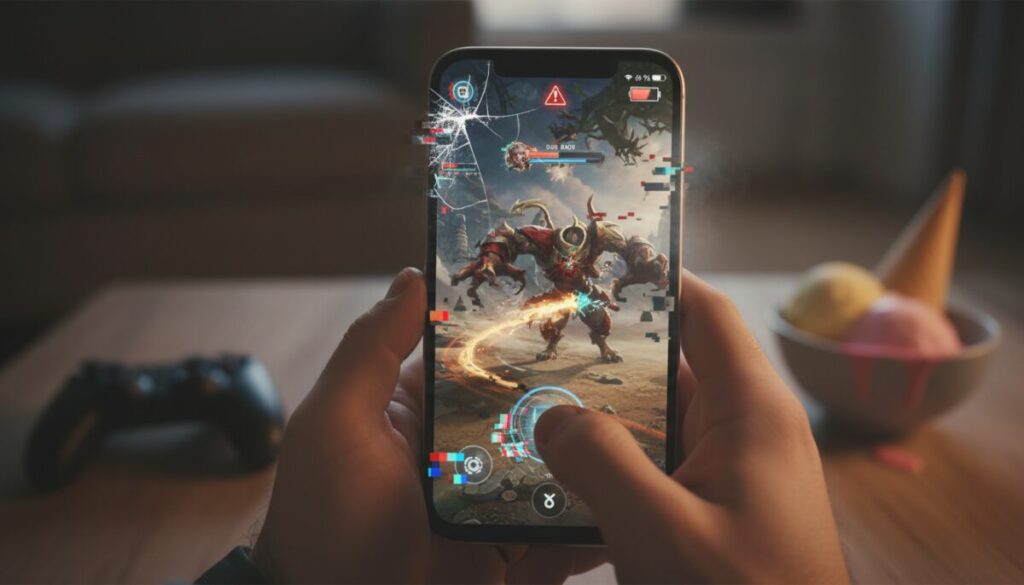
Do you know that frustrating feeling of downloading an amazing game only to have it crash every two seconds on your phone? Or even worse, when the battery melts faster than ice cream in the sun? Evaluating the performance of mobile games on your smartphone is essential to ensure a satisfying gaming experience and avoid headaches.
Understanding how your device handles different games can make all the difference between enjoying that epic match or throwing your phone out the window in frustration. Let's dive deep into this subject and discover everything you need to know to assess whether your smartphone can handle even the most demanding games.
Why is Performance Evaluation Important?
First of all, you need to understand that not all smartphones are created equal. While some top-of-the-line devices can run any game smoothly, other mid-range or older models may struggle considerably with more demanding titles.
Evaluating performance helps you to make smarter decisions This information will help you choose which games to download, which settings to use, and even when it's time to consider upgrading your device. Additionally, it will help you avoid wasting mobile data by downloading games that simply won't run properly.
Another crucial point is the preserving the lifespan of your smartphone. Pushing a device beyond its capabilities can cause overheating, battery degradation, and even permanent hardware damage.
Key Performance Indicators in Mobile Games
Frame Rate per Second (FPS)
FPS is probably the most important indicator when it comes to gaming performance. It measures how many images your smartphone can process and display per second. The higher the number, the smoother and more responsive your gaming experience will be.
For most mobile games, 30 FPS is the minimum acceptable., However, ideally you should aim to maintain a constant 60 FPS. Competitive games like PUBG Mobile, Call of Duty Mobile, and Free Fire greatly benefit from higher frame rates, as every millisecond counts.
When the FPS drops below 30, you start noticing those annoying stutters, the image becomes "choppy," and your gameplay goes downhill. It's like trying to watch a movie that freezes every second – simply unbearable.
Device Temperature
Your smartphone overheating during gameplay is a huge red flag. overheating This not only impairs immediate performance but can also cause permanent damage to the device's internal components.
Moderate warm-up is normal during intense gaming sessions, but if you can barely hold your phone in your hand, something is wrong. Temperatures above 45°C are already a cause for concern, and above 50°C you definitely need to take a break.
Excessive heat also activates system protection mechanisms, which automatically reduce processor performance to prevent damage – the famous thermal throttling. This means lower FPS and compromised gameplay.
Battery Consumption
What good is a game that runs perfectly if its battery drains in 30 minutes? Energy consumption is a critical factor, especially if you enjoy long gaming sessions or when you're away from home without access to power outlets.
Lighter games can provide several hours of fun, while heavy titles with realistic graphics can drain your battery in less than an hour. Monitor this consumption It helps you better plan your gaming sessions and identify if any game is being excessively "greedy".
Tools for Monitoring Performance
Specialized Monitoring Applications
There are several apps dedicated exclusively to monitoring your smartphone's performance during games. These tools provide real-time data on FPS, temperature, CPU and GPU usage, RAM consumption, and much more.
THE GameBench It is one of the most comprehensive options on the market, offering detailed analyses and even comparisons between different devices. As for... Game Booster It not only monitors performance but also attempts to optimize it automatically.
For Android users, the CPU-Z and the 3DMark They are excellent for benchmark testing and detailed hardware monitoring. They give you in-depth technical insight into how each component is performing.
Native System Resources
Did you know that your smartphone already comes with built-in monitoring tools? Both Android and iOS offer native features that can help you assess performance without needing to install anything additional.
On Android, as Developer Options They hide a treasure trove of information. You can activate an on-screen FPS counter, view GPU usage, and much more. To activate this secret menu, go to Settings > About phone and tap the build number 7 times.
On iOS, the Battery section in Settings shows which apps are consuming the most power. While not as detailed as the Android options, it gives a good idea of which games are more demanding.
How to Conduct Practical Performance Tests
Synthetic Benchmarks
Synthetic benchmarks are standardized tests that simulate intense workloads to assess the maximum capacity of your hardware. They are great for comparing different devices or checking if yours is performing as it should.
Applications such as AnTuTu Benchmark, Geekbench and GFXBench They run a series of graphics and processing tests, generating a final score. The higher the score, the better the theoretical performance of your smartphone.
However, it's important to remember that synthetic benchmarks don't always reflect real-world gaming performance. They're useful as a reference, but nothing replaces testing the games you actually intend to play.
Tests with Real Games
The best way to assess performance is simply by playing games. Choose a few representative titles with different levels of difficulty and observe how your smartphone behaves in each one.
Start with a light game, then try an intermediate one, and finally a demanding title. During each session, pay attention to... Freezing, FPS drops, overheating, and battery drain.. Write down your observations to get a complete overview.
A good strategy is to play each title for at least 30 minutes. Many smartphones perform well in the first few minutes but start to have problems as they heat up and thermal throttling is activated.
Factors That Influence Performance
- Processor (CPU/GPU): The brain of your smartphone – the more powerful, the better the gaming performance.
- RAM memory: Essential for keeping multiple processes running smoothly, ideally you should have at least 6GB for demanding games.
- Cooling System: Devices with better heat dissipation maintain stable performance for longer.
- Screen Resolution: Higher resolution screens require more graphics processing.
- Refresh Rate: 90Hz or 120Hz displays provide a smoother experience when the hardware is up to par.
- Storage Space: Full memory can impair overall system performance.
- Operating System Version: Updates can improve or worsen performance depending on the optimization.
- Apps in the Background: Processes running simultaneously steal valuable resources.
Optimizing Your Game Performance
Adjustments in Graphics Settings
The quickest way to improve performance is to reduce the graphics settings within the game itself. Most mobile titles offer presets such as Low, Medium, High, and Ultra – each with different levels of visual detail.
If you are experiencing crashes, start by reducing the graphic quality and the frame rate. Often, the visual difference between Medium and High is almost imperceptible, but the performance gain is significant.
Also disable unnecessary effects such as complex shadows, real-time reflections, and advanced anti-aliasing. These features are nice, but they consume a lot of resources and can be sacrificed for smoother gameplay.
System Cleaning and Maintenance
Keeping your smartphone clean and organized makes a huge difference in performance. Close all apps you're not using before you start playing – they consume RAM and processing power even in the background.
Regularly clear app caches and temporary files that accumulate over time. On Android, you can do this in Settings > Storage > Free up space. This frees up memory and can give an extra boost to performance.
Uninstall games and apps that you no longer use. In addition to freeing up space, this reduces the load on the system and can improve the overall speed of your device. Less is more when it comes to performance.
Gaming Mode and Optimizers
Many modern smartphones come with a Gaming Mode This integrated mode automatically optimizes the system for better gaming performance. It typically disables notifications, prioritizes resources for the game, and adjusts power settings.
Brands like Xiaomi, ASUS, Samsung, and Realme offer their own game optimizers with additional features such as screen recording, call blocking during gameplay, and even controlled processor overclocking.
It's worth exploring these native tools before resorting to third-party apps, which often promise miracles but deliver little or no real improvement.
Advantages of Regularly Monitoring Performance
Consistently monitoring how your smartphone handles different games offers several benefits that go beyond the simple satisfaction of playing without lag.
Early identification of problems: You can detect performance degradation before it becomes critical, allowing you to take preventative measures such as clearing the cache or even considering a factory reset if necessary.
Better battery management: Knowing which games consume the most energy allows you to better plan your sessions and avoid running out of power when you need your phone most.
Informed purchasing decisions: When the time comes to upgrade your smartphone, you'll know exactly which specifications are important for your usage profile, avoiding spending money on features that don't make a difference to you.
Disadvantages and Limitations of Monitoring
Not everything is rosy when it comes to monitoring your smartphone's performance. There are some drawbacks you need to be aware of before becoming obsessed with metrics and numbers.
Additional resource consumption: Monitoring apps also use CPU, RAM, and battery. Ironically, they can negatively impact the performance you're trying to measure, especially on less powerful devices.
Unnecessary anxiety: Becoming obsessed with numbers can take away the enjoyment of simply playing. If the game is running smoothly and you're having fun, you probably don't need to worry so much about every FPS fluctuation.
Technical complexity: Interpreting all the metrics can be confusing for less experienced users. Sometimes, too much information ends up being more harmful than helpful.
When is it Time to Consider an Upgrade?
There comes a point when no amount of optimization or configuration tweaking will solve the problem anymore. If you're constantly struggling to achieve acceptable performance, it might be time to consider a new smartphone.
Some clear signs are: Frequent crashes even in light games, Excessive heating that makes the device uncomfortable to hold, a battery that doesn't last even an hour of gameplay, or simply the inability to run the titles you want to play.
Before making a decision, consider whether the problem is actually with the hardware or if a deep system cleanup, software update, or even a factory reset could solve it. Sometimes, the device just needs a "general cleaning.".
If you decide it's time to upgrade, use all the knowledge you've gained monitoring your current device to choose a model that meets your needs. Focus on the specifications that truly matter for the games you play.
Conclusion: Knowledge is Power
Evaluating mobile game performance on your smartphone doesn't have to be daunting. With the right tools and a little practice, you can perfectly understand the capabilities and limitations of your device.
The most important thing is to find the balance between performance and fun. It's no use having the most beautiful graphics in the world if the game crashes every minute. Similarly, there's no need to torture yourself with terrible visual quality if your smartphone can handle more than that.
Experiment, test, adjust, and find the ideal configuration that provides the best experience for you. Ultimately, the goal is to have fun playing, and understanding how your smartphone works is just a means to that end.